How to make a simple digital estate plan
Published 2026-10-20 · Updated 2026-10-20

A simple digital estate plan is a list plus two provider tools, not a password sheet and not a will.
- Write each account and what you want done with it. Leave passwords off the page.
- If you use a Google Account, set up Inactive Account Manager.
- If you use an Apple Account, add a Legacy Contact and share the access key the way Apple describes.
- Note where those arrangements are kept. Do not copy the secrets onto the list.
- If you want a will to name someone, make that will with an attorney. This page does not draft one.
- Read the list again when an account opens or closes.
That is the plan. The sections below are the settings those two help pages actually describe, and what the other results do instead.
Leave passwords off the page
Rather than write them down, use a password manager. A password manager generates and stores the passwords. The household list can say that a manager is in use, and where its recovery steps are kept. It does not hold the passwords, the recovery codes, or the manager's own passphrase.
The same rule covers an Apple access key, a device unlock code, and a crypto private key. Those are secrets. Write where the paper or the device is kept. Do not copy the secret onto the list.
Google Inactive Account Manager
Inactive Account Manager is a way to share parts of your account data, or to notify someone, if the account has been inactive for a period you set. You can designate a third party to receive certain account data. You can select up to 10 people to receive this data, and choose to share all or only specific data types. You can share different data with different people. Some information cannot be shared.
Set how long Google should wait. The help page does not print a menu of months on the page we opened, so use the choices the live page shows, and do not copy a number from memory.
Google asks for a phone number for the trusted contact so only that person can download the data. Contacts are not notified during setup. They are notified only after the account has been inactive for the time you set. You can edit the choices, or turn the plan off, on the same page.
If a plan is unset, Google reserves the right to delete an inactive account and its data if you are inactive across Google for at least two years. A separate request exists for family members who need to close a deceased person's account. That request is not a substitute for the plan you set while you can still sign in.
Apple Legacy Contact
A Legacy Contact is someone you choose to have access to certain data in your Apple Account after your death. The data might include photos, messages, notes, files, and device backups. A Legacy Contact cannot access movies, music, books, or subscriptions purchased with the account, and cannot access data stored in iCloud Keychain, including payment information, passwords, and passkeys.
To request access later, that person needs the access key you generate when you add them, and your death certificate. Documentation requirements might vary by country or region. An Apple Account is optional for the person you choose, and an Apple device is optional too.
Before you add anyone, update the device. You need an Apple device running iOS 15.2, iPadOS 15.2, or macOS Monterey 12.1 or later. Sign in on that device. Turn on two-factor authentication if the page asks. Your Legacy Contact must be over the age of 13 (age varies by country or region) to request account access. That is Apple's rule for the contact, not a rule about you.
On an iPhone or iPad: go to Settings, tap your name, tap Sign-In & Security, tap Legacy Contact, then tap Add Legacy Contact. You may need to authenticate with Face ID, Touch ID, or the device passcode. On a Mac: from the Apple menu, choose System Settings, click your name, click Sign-In & Security, click Legacy Contact, then click Add Legacy Contact.
If you are in a Family Sharing group, you can choose a member. Or choose someone else by phone number or email. Share the access key by iMessage, if that option appears, or print a copy. Apple also lets you save a PDF or a screenshot, or keep a printed copy with estate papers. Confirm the person received the key if you sent it by iMessage.
The access key is required later, together with the death certificate. Do not type the key into a household list. Print it or send it the way the Apple page describes, and write only where that copy is kept.
You can add more than one Legacy Contact. Any one of them can make decisions about the account data, including permanently deleting it. Choose people who understand that.
Wills stay with an attorney
A list of accounts is not a will. It does not appoint anyone and it does not transfer property. USAGov's legal-aid page describes programs that may help you find a free or low-cost attorney, including Legal Services Corporation and LawHelp.org. Some programs limit services by income. The page is a directory. It is not advice about your papers.
If a will, a trust, or a power of attorney is the document you want, make it with an attorney. We stop there. We do not say which document to sign, and we do not say one is required.
Other platforms may offer their own tools. The Holborn Assets page says Facebook allows a legacy contact. We did not open Facebook's help, so we do not give those steps. Recheck the live help for any account this page does not cover.
What the top three pages do
The Kings Court Trust page inventories passwords and has no Inactive Account Manager steps. It is a UK probate firm. It suggests an inventory that includes usernames and passwords, a will writer, and a later update of that inventory. We do not follow the password inventory. CISA's password page says to use a password manager rather than write passwords down.
The WillMaker page names Google's Inactive Account Manager and has no Sign-In path. It also says to keep passwords out of a will, because a will becomes public, and it still tells you to leave login credentials for an executor. We keep the public-will warning and drop the credential copy. State law on digital assets is not one rule. WillMaker names the Revised Uniform Fiduciary Access to Digital Assets Act and says to ask an attorney. That is the right stop.
The Holborn Assets page names Google's Inactive Account Manager and has no Apple Legacy Contact steps. That page also says to keep passwords out of a will. The Settings path is on the Apple page above. Use the Apple page above for that path.
A record of locations, not secrets
When the provider tools are set, a short record can hold the account names, the preferences, and where the access notes sit.
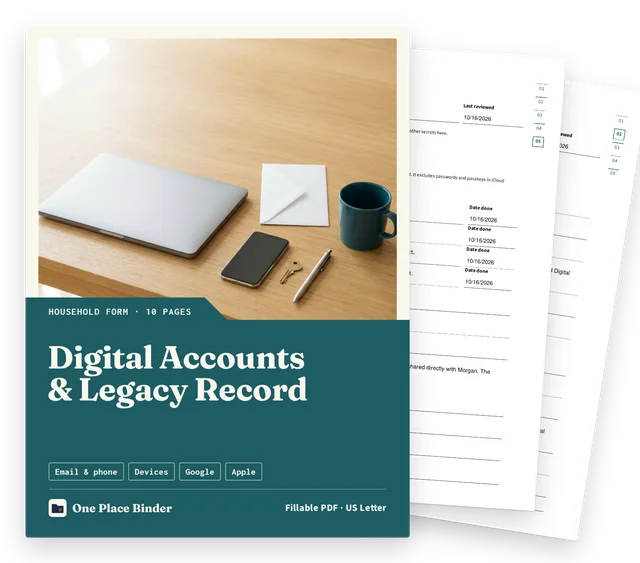
The Digital Accounts & Legacy Record records accounts, preferences and where access arrangements are kept without copying secrets. It is one fillable PDF, US Letter. The Digital Accounts & Legacy Record is $3.00. Locations only: do not enter passwords, unlock codes, recovery codes, access keys or other secrets. Settings can change. Recheck the live help pages before you rely on a printed step. Not legal advice. Not a will.
The record does not grant access and does not override a provider's process. You can do the same job on paper you already have: account name, preference, and where the arrangement is kept. The download adds blank lines and the two setup checklists. It does not supply steps for other platforms.
Where to keep a printed access-key copy is a storage question, covered in how to store important documents at home. How a will sits apart from a notes file is the end-of-life planning checklist. A wider household folder is the binder checklist.
Questions
How to prepare a digital estate plan?
List each account and what you want done with it. Turn on the provider tools Google and Apple publish. Note where those arrangements are kept. Leave passwords off the page. A will, if you make one, is made with an attorney.
How to create a digital estate plan?
Write the account names and your preferences, then set Google Inactive Account Manager and an Apple Legacy Contact if you use those accounts. Store the access key the way Apple describes, and write only where that copy sits. Do not treat the list as a will.